The deadline isn't the problem. The steps before it are.
RunDown is a countdown app that actually knows what has to happen before the deadline - and reminds you when one of those steps slips.
Download on the App StoreEvery big deadline is really a chain of small ones. The flight on the 14th is fine - if the visa arrives by the 9th, which needs the appointment on the 2nd, which needs the forms printed this weekend. Miss any link and the whole chain quietly derails, but the only date you ever wrote down was the last one.
Countdown apps I tried just tick toward a single date - no idea what's in the way. To-do apps know the tasks but are flat: everything is a checkbox, nothing screams when it's going to cost you the deadline. I wanted the calendar's pressure with the to-do list's memory, for the 2-3 things in my life that actually matter.
So I built RunDown - a countdown that understands prerequisites. You set the real deadline, then lay down the steps that block it. The app does the math, watches the chain, and tells you the moment one step starts eating into another's runway.
One goal. One date. The rest is just steps.
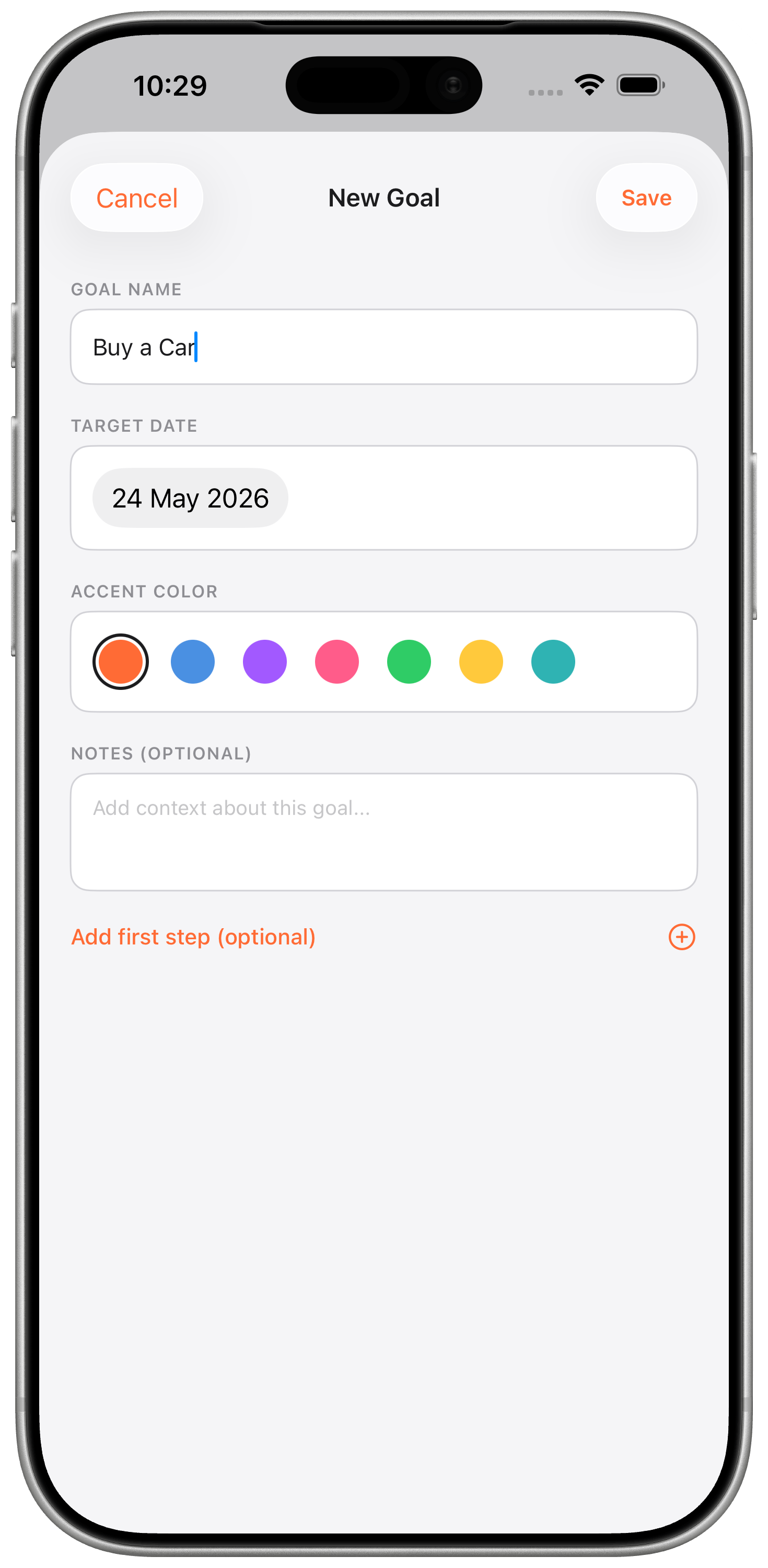
Open RunDown and the ask is tiny: what's the thing, and when's the thing. No projects, no tags, no workspaces. Name a goal, pick a deadline, and you're running.
You can keep up to three active goals at once - intentionally limited. If everything is a priority, nothing is.
Lay down the chain, in the order it actually runs
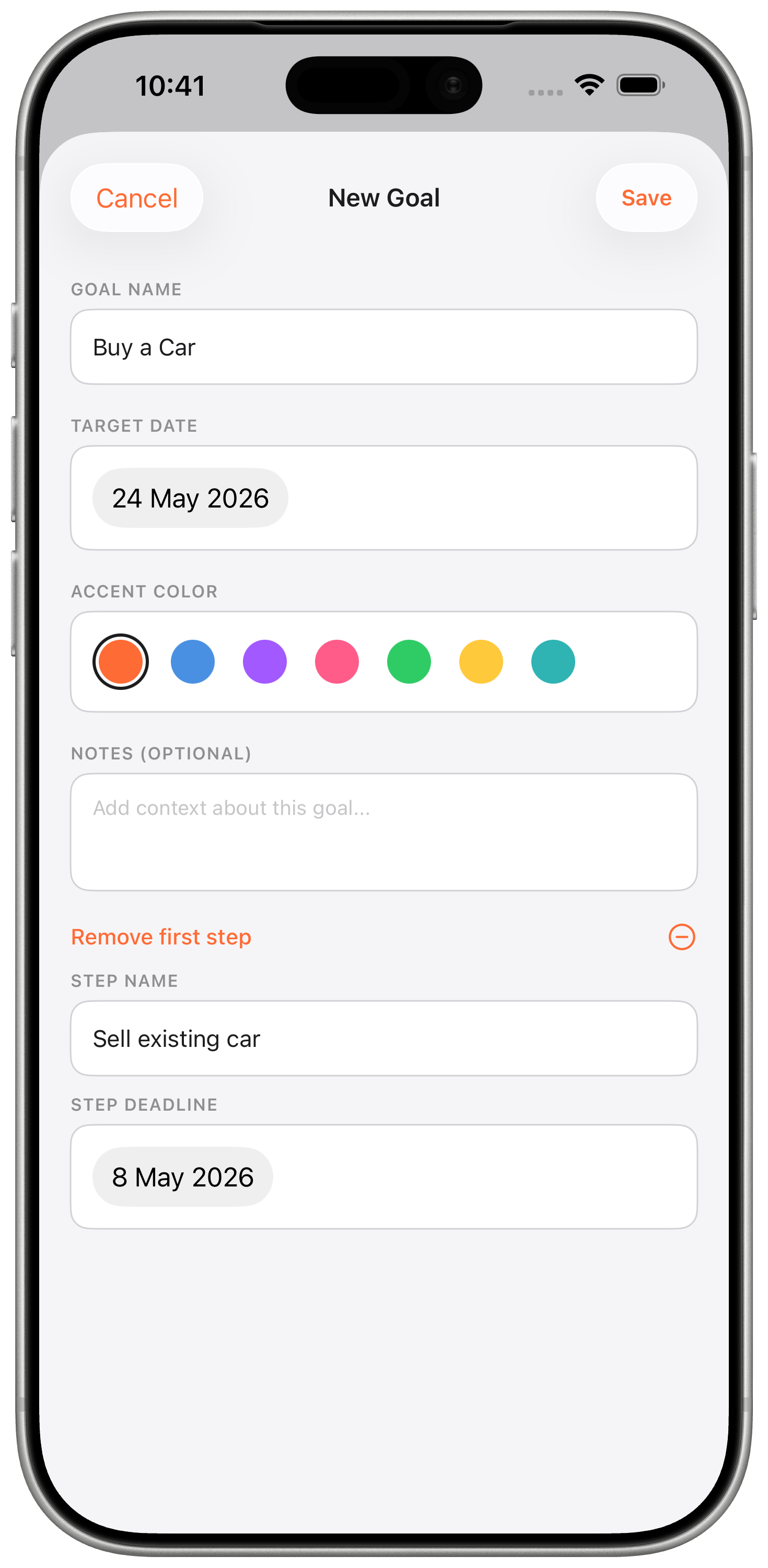
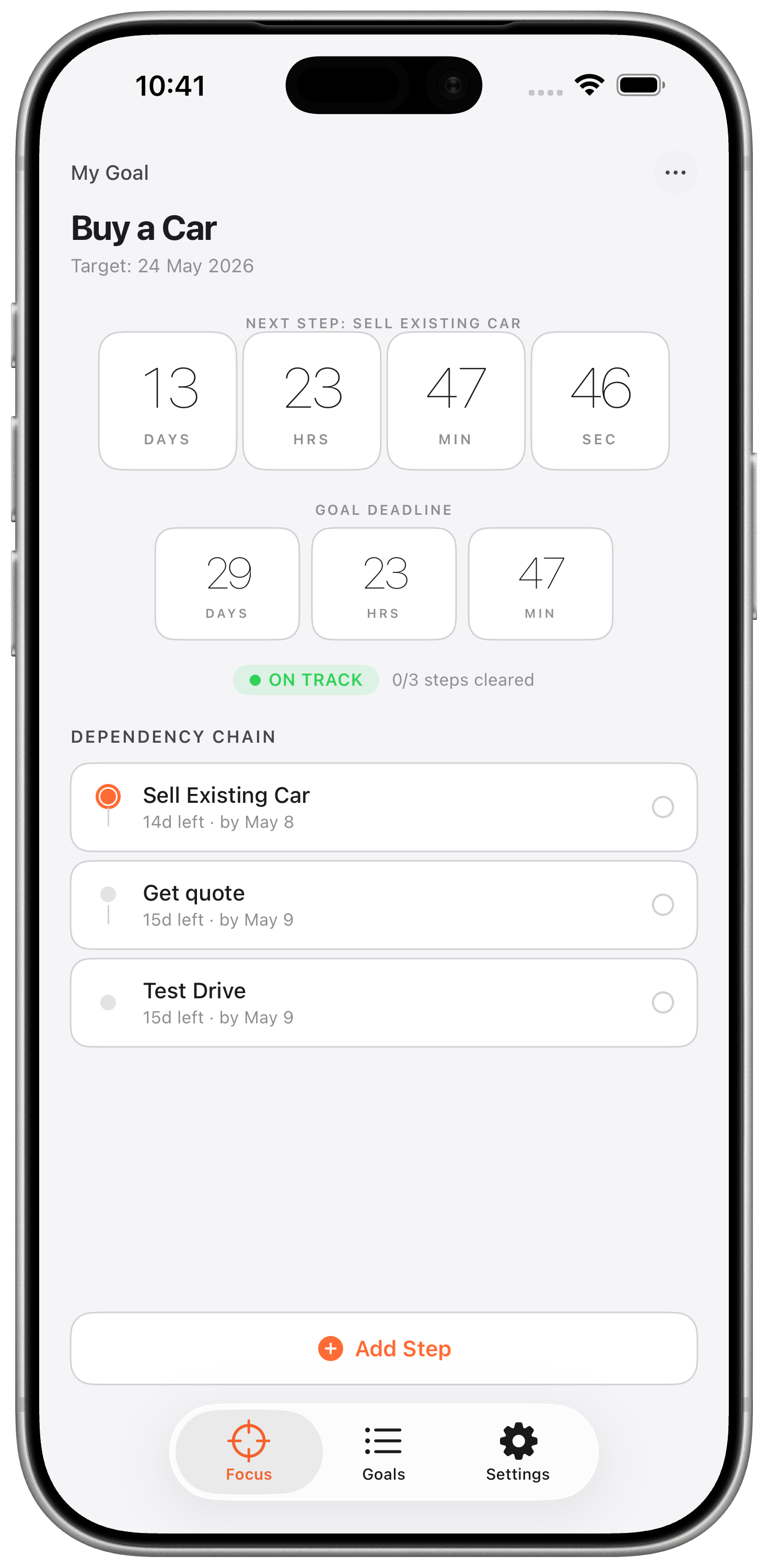
Each step is a mini-deadline that blocks the next one. Print the forms, then book the appointment, then pick up the visa, then fly. RunDown strings them together and knows: if step two slips by a day, every step after it shifts.
Reorder with a drag. Add a step in the middle and the chain re-computes. No Gantt charts, no dependency arrows to wire up - just the list, in order, with the math baked in.
The number that matters, front and center
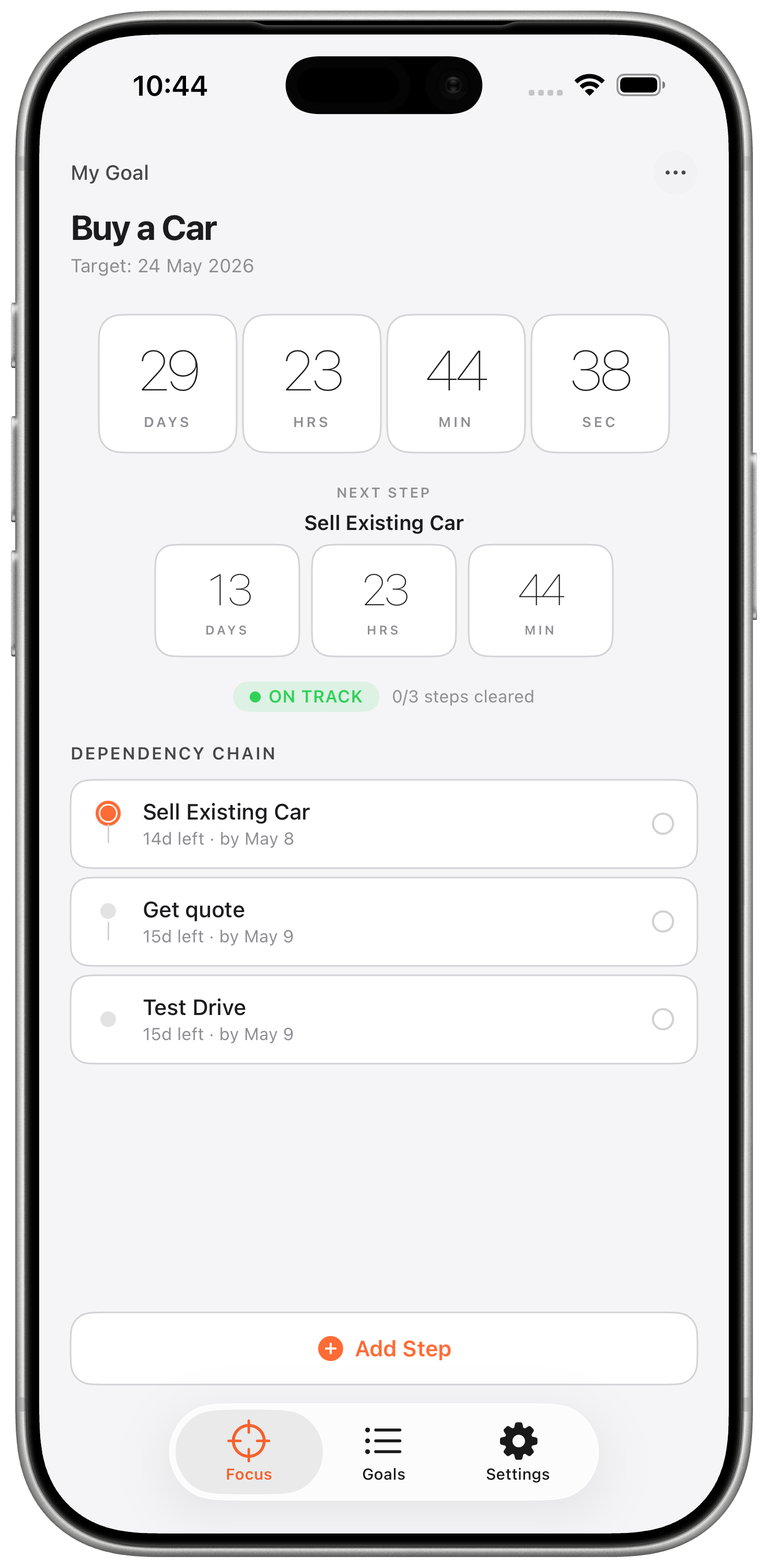
The main screen is one giant ticking countdown to the finish line. Days, hours, minutes, seconds - monospaced so the digits don't jitter. Below it, the chain of steps: what's done, what's active, what's next.
A health pill at the top tells you the truth in one glance: on track, at risk, or overdue - based on how much runway is left versus how much work is ahead.
Zoom into the step that's due next
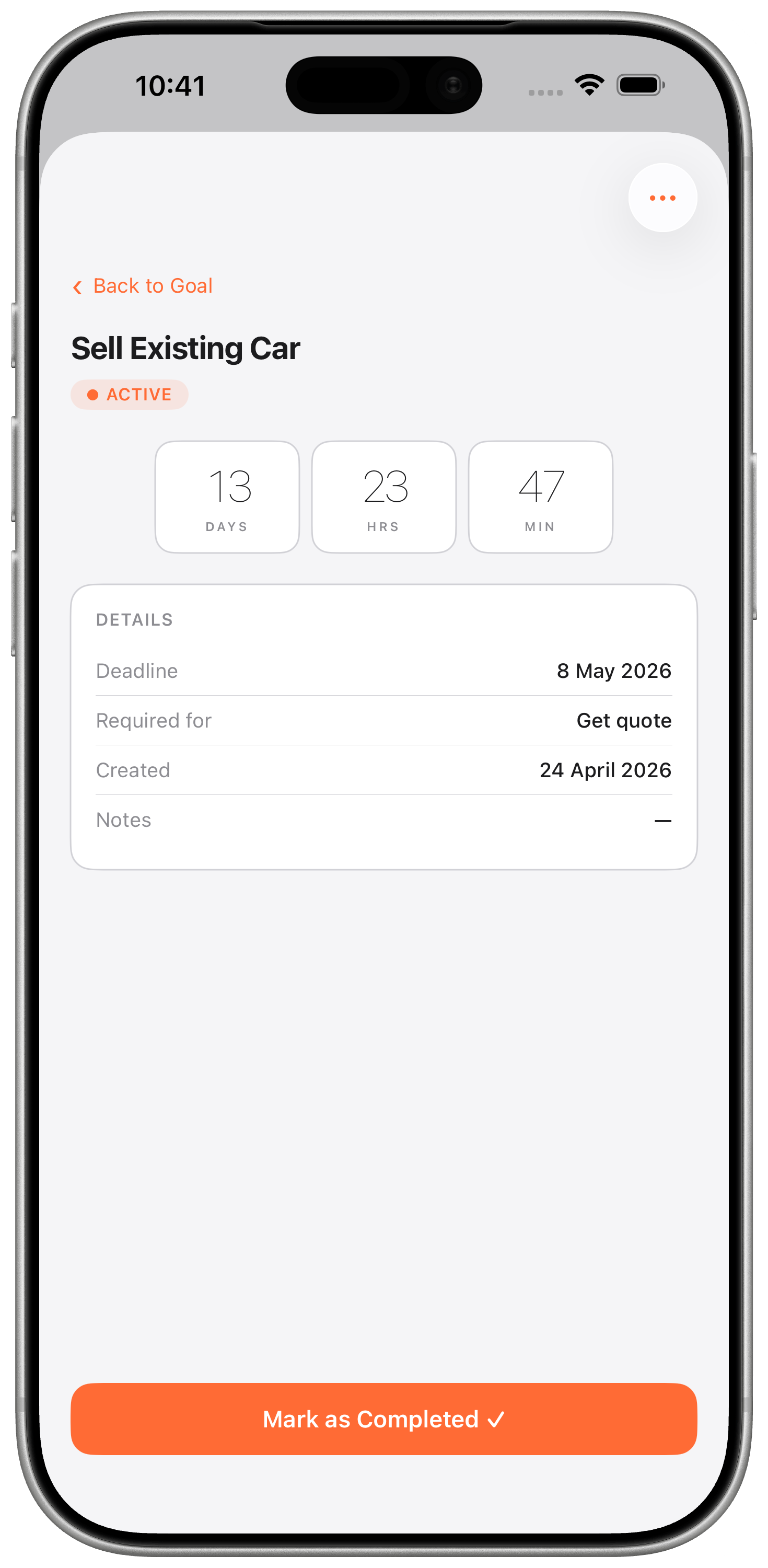
Tap any step and the countdown switches to that step's deadline. Instead of "17 days until the trip," you see "2 days until the forms are due." Same data, closer lens.
It's the difference between watching the horizon and watching your next footstep. Both matter - RunDown lets you pick which one you need to see right now.
Close out a step. Feel the chain move.
Finish a step and tap it done. The circle fills, the chain advances, and the next step becomes active - with a haptic that actually feels like progress. Milestone haptics fire at 50%, 25% and 10% of the goal's runway remaining, so you feel the deadline approaching even when the app is in your pocket.
Home-screen and lock-screen widgets mirror the chain live. Glance at your phone, see the countdown and the current step, tap in to act.
What RunDown does not do
Who it's for
People running a handful of things that actually matter - a visa, a move, a launch, a race, a wedding - where missing a prep step is the difference between hitting the date and reschedule hell.
Get RunDown on the App StoreBuilt by J - Swift 6, SwiftUI, SwiftData, WidgetKit. Dark-mode native, zero third-party dependencies, stays on your device.